What's new

Closed [TUT] - How To Download File/Video in LinkBox Using Android Phone and PC

Please let me know if this is working to your ANDROID phone


  • Total voters
    79
Status
Not open for further replies.

-Hexacode

𝗟𝗼𝗰𝗸𝗲𝗱 𝗜𝗻 📈💲
Moderator

NOTE: This is only for Android User Only, For PC just click the link and download VOILA!


PLEASE USE CHROME BROWSER​


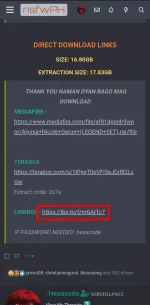
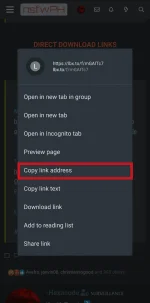
Step 1. Copy the link > (Hold the link and it will pop up "Copy Link Address")​

1684589162537.png 1684589175642.png


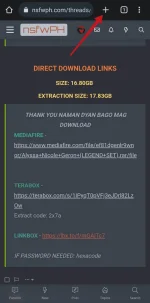
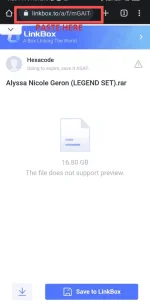
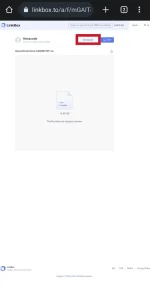
Step 2. Create a New Tab and Paste The Link in URL Bar > Follow The Photos Below​

1684589730932.png 1684589835966.png


Step 3. Make It Desktop Mode > Tap The Three Dot And Enable/Tap "Desktop Mode" /IT WILL RELOAD THE PAGE/
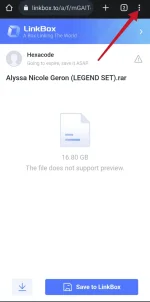
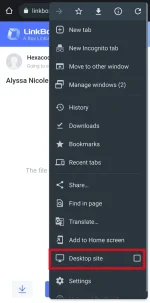
1684590119411.png 1684590141267.png


TAP/CLICK Download.. ENJOY!​

1684590181643.png
 
Status
Not open for further replies.

About this Thread

  • 13
    Replies
  • 2K
    Views
  • 10
    Participant count
Last reply from:
Unknown user

Trending Topics

Online now

Members online
5,125
Guests online
1,418
Total visitors
6,543

Forum statistics

Threads
481,739
Posts
9,686,712
Members
460,284
Latest member
Vasco3221
Back
Top