 NSFW
NSFW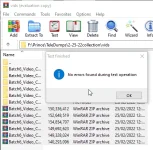
Magandang araw sa inyo!
Eto na batch 6 ng random telegram vids and pics na nasesave sa phone ko.
as usual, para sa mga pc users, mas okay na gumamit kayo ng Jdownloader para copy and paste lang gagawin niyo and yung software na bahalang magdownload, less hassle kesa isa-isahin yung mga link.
dito niyo kunin: JDownloader
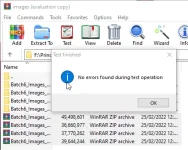
Kahit ano pwede niyo unahin sa links, nakalagay yan lahat sa magkakaibang folder tulad ng nakikita niyo sa screenshots.
NOTE: SIGURADUHIN NIYO NA STABLE NET NIYO BAGO KAYO MAGDOWNLOAD KASI MADALAS YUN DAHILAN KAYA CORRUPTED MGA NADADOWNLOAD NA FILES.
Wala po tayo MF links ngayon kasi nauubusan ako ng space tsaka madalas natetakedown yung accounts.
PC Users, lalo na sa mga gumagamit na ng JDownloader, nandito yung multiup links para sainyo:
IMAGES Links:
https://multiup.org/download/c74e06f38b6e8ddd07145df38066eec5/Batch6_Images_Collection 1.zip
https://multiup.org/download/6b6fc81261eeba3697417124445966e3/Batch6_Images_Collection 2.zip
https://multiup.org/download/8c733a3af27c5b8dbee9b2aac58e87e8/Batch6_Images_Collection 3.zip
https://multiup.org/download/8b08c7005e2816c307a45afe1ee6ca93/Batch6_Images_Collection 4.zip
VIDEOS Links:
https://multiup.org/download/fc8bd55acee58ac83fdb30d5cac5de3b/Batch6_Video_Collection 00001.zip
https://multiup.org/download/b13d528354b7b4db16cf35b6d7d76647/Batch6_Video_Collection 00002.zip
https://multiup.org/download/217b05997044b12fbe23835f44ee4524/Batch6_Video_Collection 00003.zip
https://multiup.org/download/da51ca27fda674584cc0d42f9e8bcdb4/Batch6_Video_Collection 00004.zip
https://multiup.org/download/43e35510bf3565529b0347bbb66f87d2/Batch6_Video_Collection 00005.zip
https://multiup.org/download/1009a7d2b6a560e0e8b61ea4a02a3de0/Batch6_Video_Collection 00006.zip
Google Drive Links para sa ayaw gamitin yung JDownloader:
IMAGES Links:
https://drive.google.com/file/d/19um-jiybwjc58IQze_QnMl3ES7t1jCJA/view?usp=sharing
https://drive.google.com/file/d/1TUvLMlF7lng8EutzLiWNFWtxEFbKa1iv/view?usp=sharing
https://drive.google.com/file/d/1MVO3h4I_h30bj5_KYt8WEo50DXUe_hiR/view?usp=sharing
https://drive.google.com/file/d/1G1jhpkt-rL4x6eqMbV_HRp-CeWqH7GlG/view?usp=sharing
VIDEOS Links:
https://drive.google.com/file/d/1pYlaBn9KHg1iZHUe68b8DXgf11UKf1rd/view?usp=sharing
https://drive.google.com/file/d/1Z1nHPjx9QESJiQx74ELwbNM75oXgt1BC/view?usp=sharing
https://drive.google.com/file/d/1M43y98ICmlesp8f6HRK3QfCVZsWQULUI/view?usp=sharing
https://drive.google.com/file/d/1YM0VcB8Ws6oShhNghfZxaOAo1OdbY726/view?usp=sharing
https://drive.google.com/file/d/1-1kVE15u-R_ieMo0itaU-0OrQKqvbK5y/view?usp=sharing
https://drive.google.com/file/d/1uFXjN5vDFVr8y6WFyh2B738vWyjJgVxI/view?usp=sharing
Use these if you want to give more support: (shortened google drive links via reshort)
VIDEOS Links:
https://rshrt.com/NV0r1Q
https://rshrt.com/RAIr
https://rshrt.com/GB1AIN
https://rshrt.com/jV0Hb
https://rshrt.com/9fk
https://rshrt.com/YFx4P4kh
IMAGES Links:
https://rshrt.com/YFKd
https://rshrt.com/H3HG
https://rshrt.com/6HXkVGeY
https://rshrt.com/R9PW2n
Pano gamitin? Visit the link tapos scroll down hanggang sa makita niyo tong part na to:

Click mo yung Open tapos wait niyo lang yung countdown tapos lalabas yung Get Link
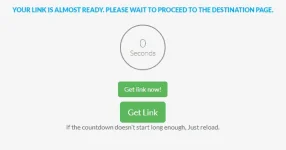
Click niyo then okay na yun, magpoproceed na yun sa GDrive link